Why Social Media Won't Show Your Blog Title (And How to Fix It in Nuxt)
Feb 28, 2026
I just published a post — Integrating MSW v2 with Expo Router (TypeScript + ESModules) — on my Nuxt Content blog and wanted to share it on Threads. But when I pasted the link, the preview didn't show the article title.
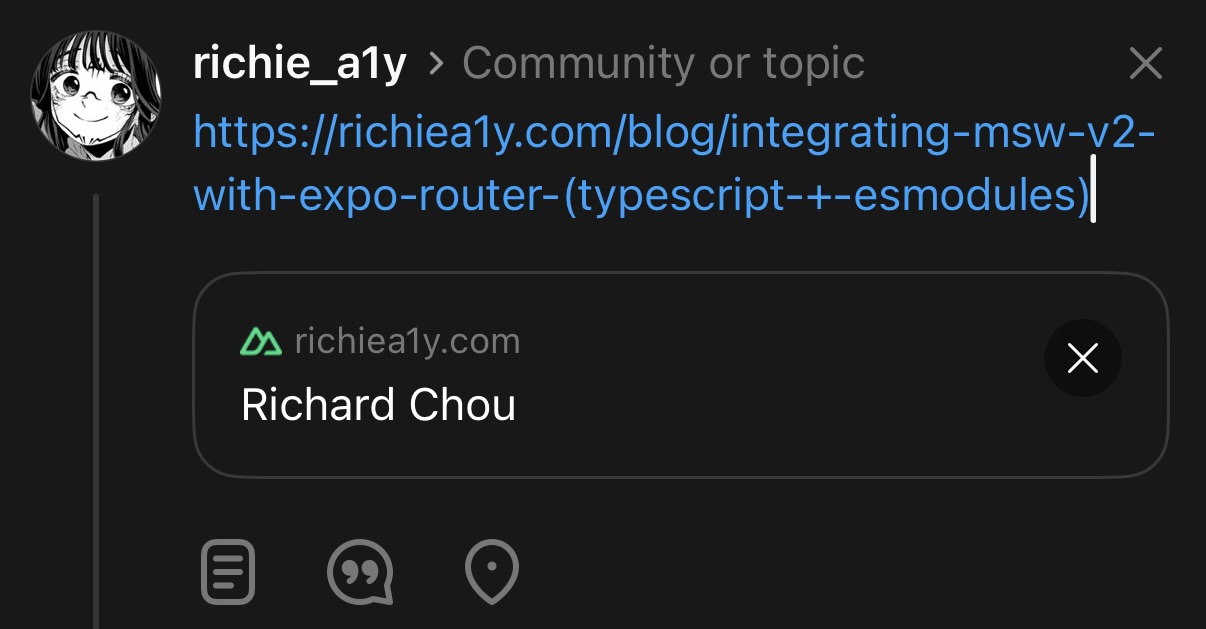
What's Happening and What Do I Do
The platform is fetching my page but displaying the wrong information. So I searched "How can I enable link previews for my blog on social media?" and found this Stack Overflow answer — How do social media sites get a preview of a linked page? — which was pretty straightforward:
I see you've tagged this post with Facebook. If you are concerned with Link Previews as they appear when shared to Facebook, here is some relevant information for you. There is something called
Open Graph tagsthat web developers can put on their pages. These are scraped/retrieved by various services that provide previews. For example, see Facebook's Sharing Debugger Tool along with an explanation of how it works.
You can paste your URL directly into Facebook's Sharing Debugger Tool to test the preview, or use opengraph.xyz or metatags.io to see which OG tags your page currently has and how it looks across different platforms.
How to Add OG Tags in Nuxt
Searching that title brings up SEO and Meta · Get Started with Nuxt v4 as one of the first results.
The docs assume you already know what HTML <head> and <body> are. In short:
<head>
  <!-- Invisible to users, read by browsers and crawlers -->
  <meta property="og:title" content="Your Article Title" />
</head>
<body>
  <!-- What users actually see -->
</body>
Scrolling down to useSeoMeta, the description alone — "SEO meta tags" — might not immediately tell you this is about OG tags. But once you see ogTitle and ogImage in the code example, it clicks.
Looking at the useSeoMeta API docs alongside Meta Developers – Sharing for Webmasters: Basic Tags and The Open Graph protocol, these are the essential tags:
og:title- The title of your pageog:description- A brief descriptionog:type- Content type, usearticlefor blog postsog:image- Full URL of the preview imageog:url- The full URL of this page
ogUrl requires a full absolute URL (e.g. https://richiea1y.com/blog/...), but route.path inside a Vue file only gives you a relative path (/blog/...). So you need to prepend your domain manually:
ogUrl: `https://richiea1y.com${route.path}`
Note: don't add a trailing / to your domain, since route.path already starts with / — otherwise you'll get https://richiea1y.com//blog/....
Here's what [...slug].vue looks like after adding useSeoMeta:
<script setup lang="ts">
const route = useRoute()

const { data: post } = await useAsyncData('blog-' + route.path, () =>
  queryCollection('blog').path(route.path).first()
)

if (!post.value) {
  throw createError({
    statusCode: 404,
    statusMessage: 'Post not found',
    fatal: true,
  })
}

useSeoMeta({
  title: post.value.title,
  ogTitle: post.value.title,
  description: post.value.description,
  ogDescription: post.value.description,
  ogType: 'article',
  ogUrl: `https://richiea1y.com${route.path}`,
})
</script>
Also make sure to add a description field to your post's frontmatter — otherwise post.value.description will be undefined:
---
title: Your Article Title
description: A sentence or two about what this post covers.
date: 2026-02-28
---
Source:
Nuxt useSeoMeta()Open Graph ProtocolMeta Developers – Sharing for WebmastersTwitter Cards
Validation
After deploying, I confirmed the title was showing correctly on opengraph.xyz. Here's what the Threads preview looks like now:
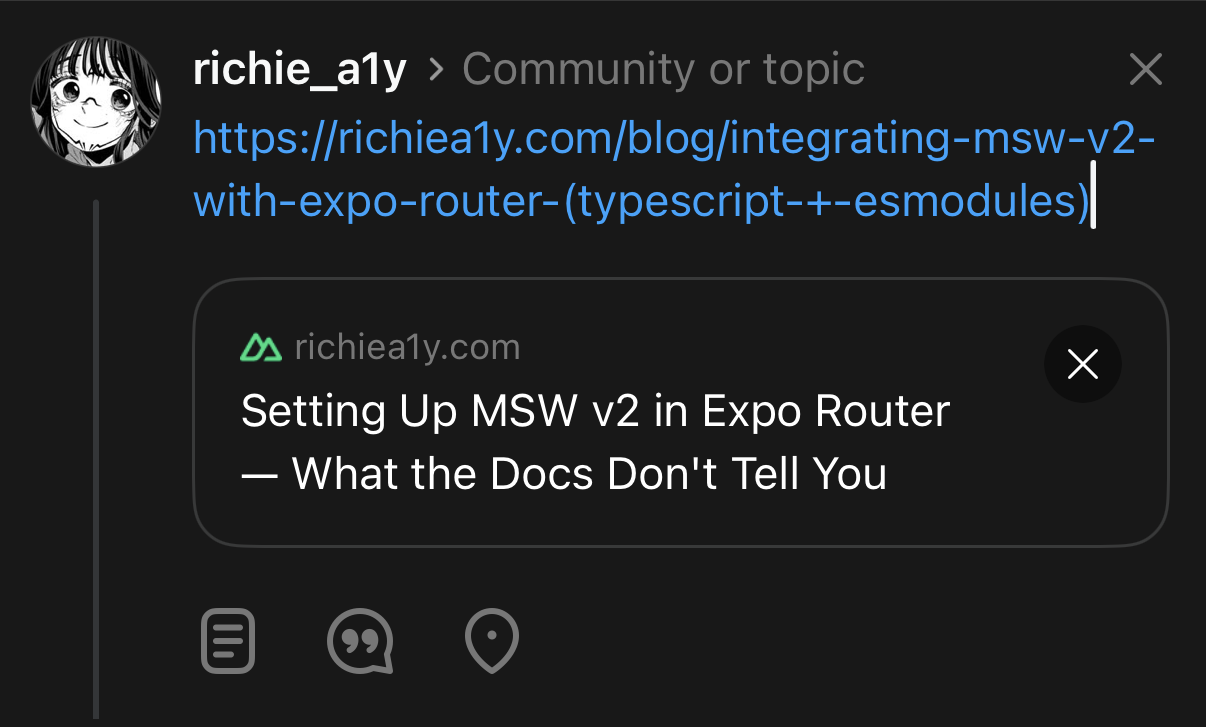
You can use these tools to verify your OG tags are set up correctly:
- Facebook Sharing Debugger: https://developers.facebook.com/tools/debug/
- Twitter Card Validator: https://cards-dev.twitter.com/validator
- Open Graph Checker: https://www.opengraph.xyz/